All projects
CRM live, storefront launchingE-Commerce · CRM
- 2,665
- products imported from WordPress
- 15,853
- product photos moved and converted to WebP
- 177
- categories and 113 brands carried over
- Nightly
- stock and price sync from Powersoft
01
Overview
Meraki Moraki is a baby and toddler shop in Cyprus with a catalogue of more than 2,600 products. Over the years the shop had grown across WordPress, a separate product management plugin and an older Wix site, and keeping it all in line had become a full-time job.
We built a custom online store and the product CRM behind it. Every product, category, brand, photo, filter and bundle was moved out of WordPress in one pass, and every tool the team used day to day was rebuilt in the CRM, so nothing they relied on was lost.
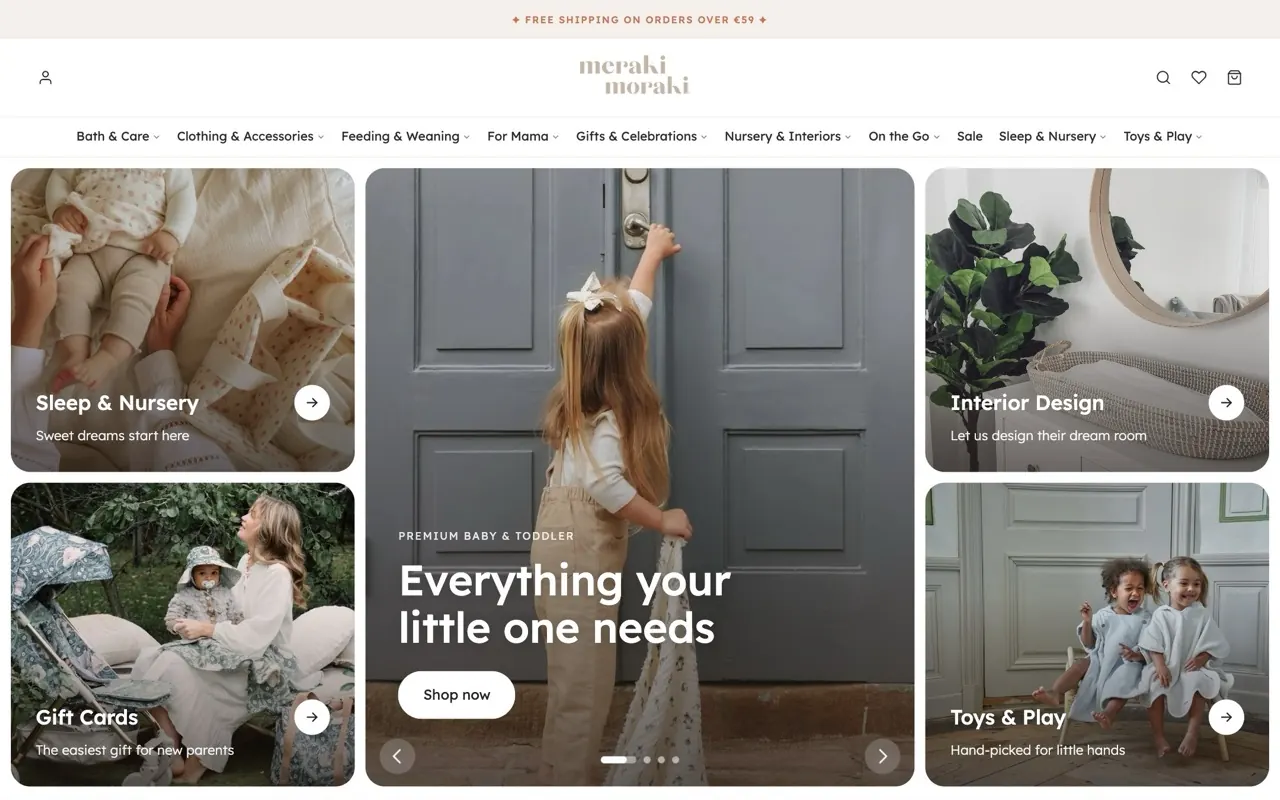
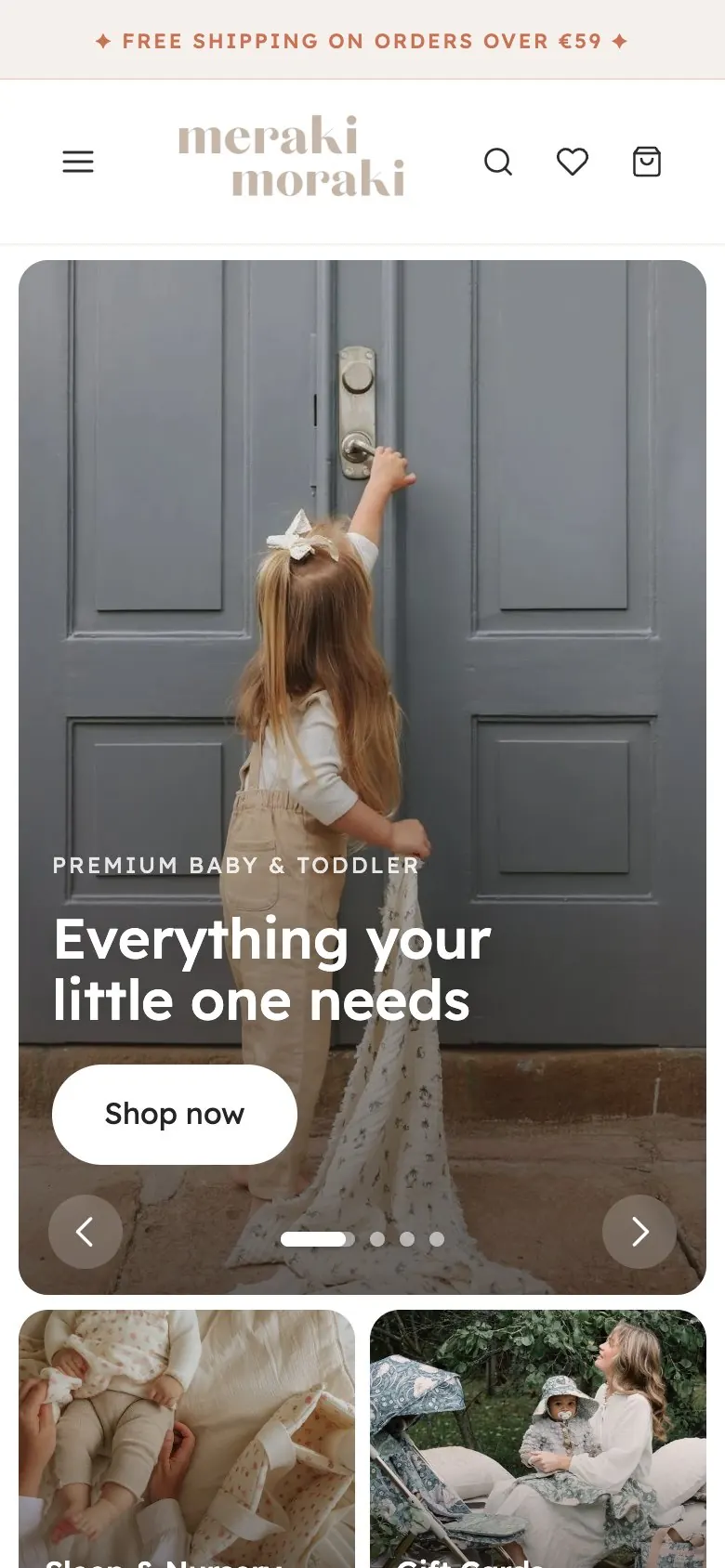
The CRM is live, WordPress has been removed, and the CRM is connected to the Powersoft ERP for stock and prices every night. The new storefront reads straight from the CRM, so the team edits a product once and the shop shows the change right away. It is being prepared for launch on merakimoraki.com, which still runs on Wix today.
- Client
- Meraki Moraki
- Industry
- Baby and kids retail
- Scope
- Online store, product CRM, ERP integration
- Website
- merakimoraki.com (new store launching)
Business value
Discuss a similar projectWhy this build matters
The CRM handles a large catalogue and connects to the retailer's Powersoft ERP for nightly stock and prices. The new storefront built on top of it is being prepared for launch.
02
Challenge & solution
- BeforeThousands of products spread across WordPress, a product plugin and an old Wix shopAfterOne custom CRM, with every product, category, brand, filter and bundle imported in one pass
- BeforeStock and prices matched to the Powersoft ERP by handAfterA nightly sync reads Powersoft and links products automatically, with unclear matches sent to a review queue
- BeforePhotos, categories and brands slow to manageAfterEvery tool the team relied on rebuilt in the CRM, and 15,853 photos converted to WebP
- BeforeA heavy theme storefront, slow on phonesAfterA fast Next.js storefront that reads straight from the CRM, so an edit shows in the shop
03
Before & after
04
What we built
One catalogue, one CRM
Products, categories, brands, media, filters, bundles, SEO and redirects all managed in one place instead of WordPress plus a plugin.Powersoft ERP sync
Every night the CRM pulls stock and prices from Powersoft and links products by barcode, item code, exact name, then a fuzzy name match. Shop orders are sent on to Powersoft.Match review queue
Products the sync is not sure about go to a review list, where the team links, searches or skips them in one click.Shop filters from the CRM
The filter sidebar in the shop is built from the CRM, so adding a size, colour or brand filter needs no developer.Product groups
The same product in different sizes or colours is grouped, so the shop shows one page with a choice instead of separate listings.Fast headless storefront
A Next.js shop that reads the CRM directly, with the full category menu, search, filters, product pages and checkout.Old links kept alive
More than 1,600 old Wix product links are mapped to their new pages, so search rankings and shared links carry over when the new store launches.SEO built in
Product and category metadata, structured data for Google and a sitemap generated from the live catalogue.
05
Screens
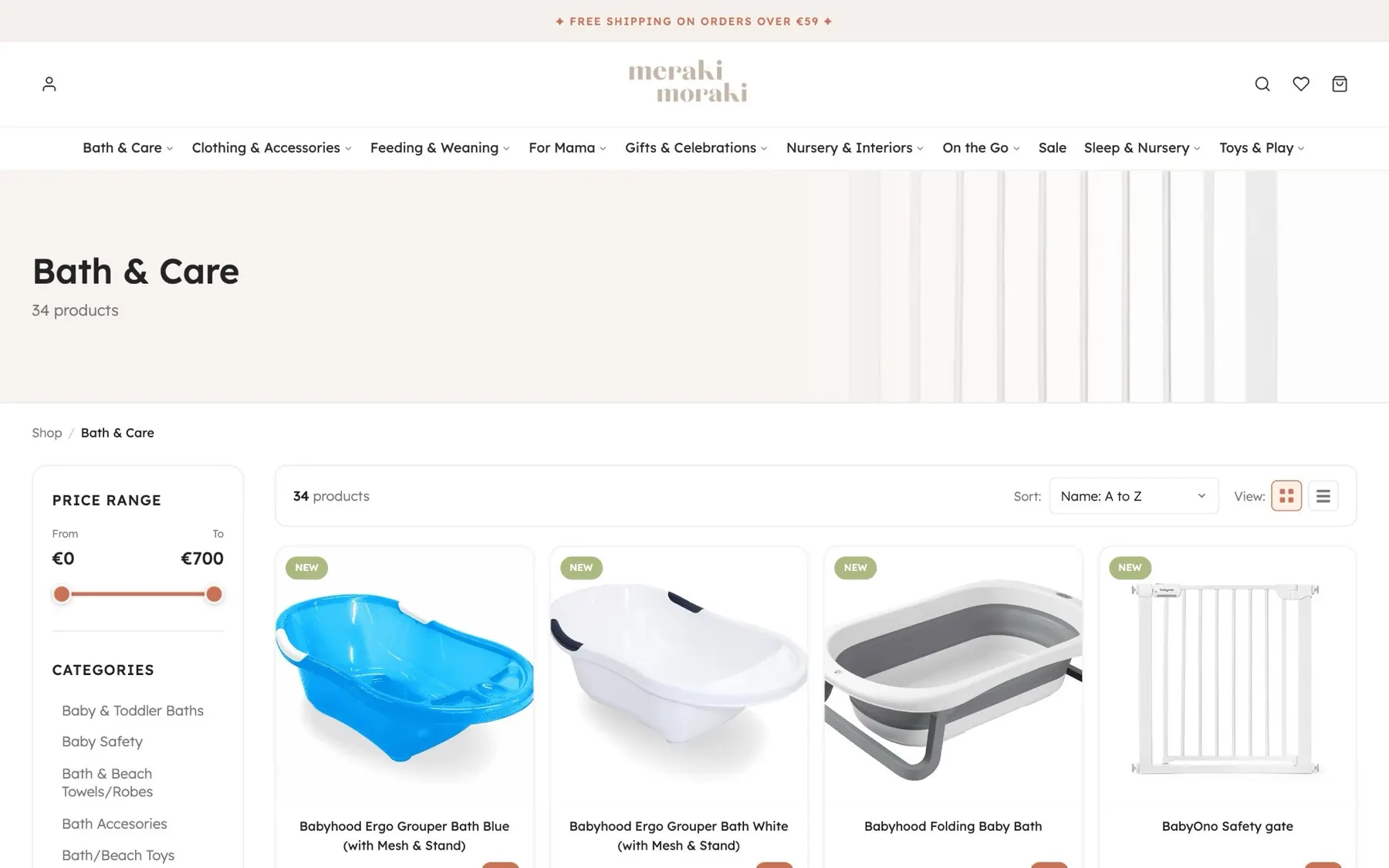
Category page with filters, sorting and grid or list view 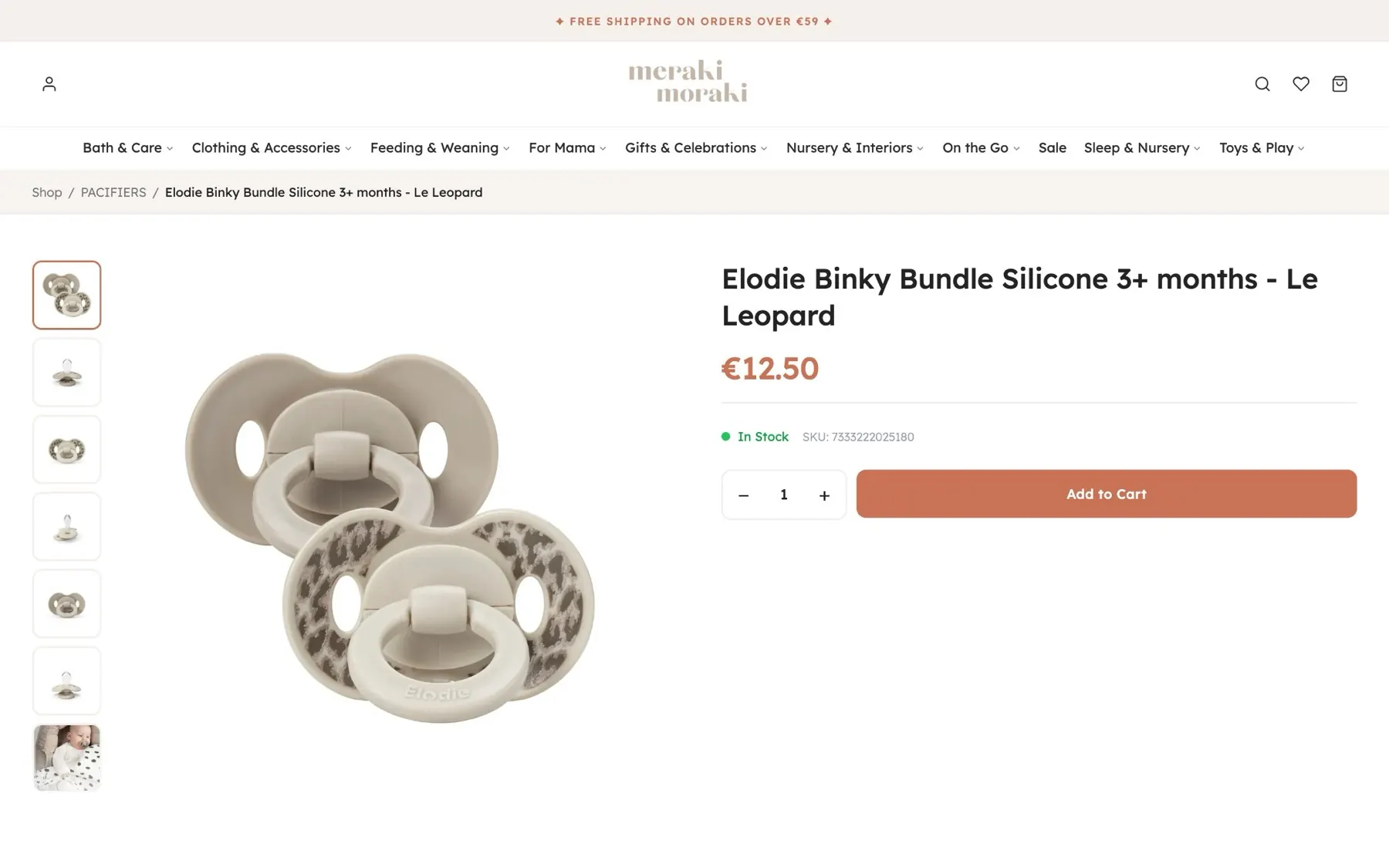
Product page: photo gallery, stock status and add to cart 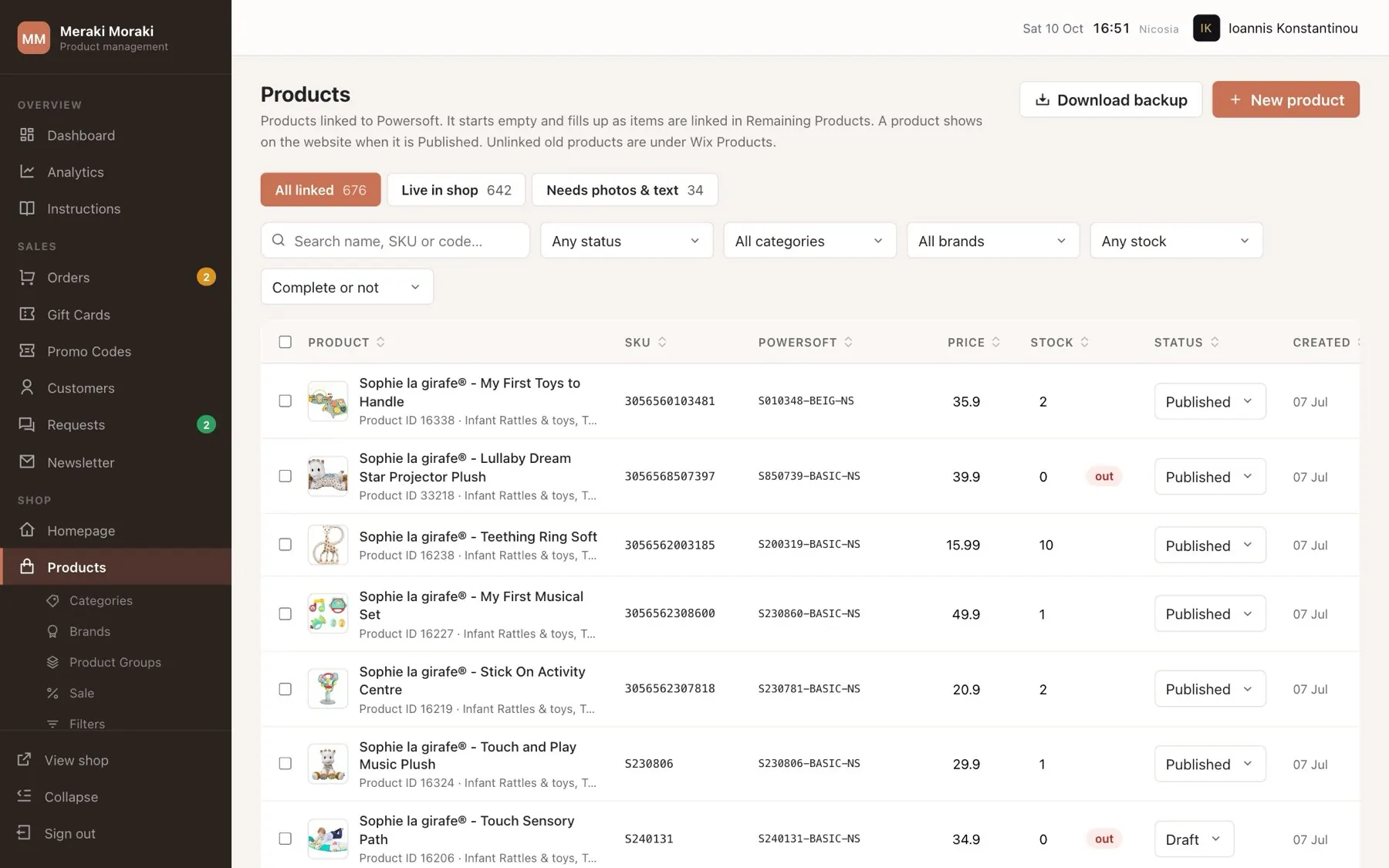
CRM product list with Powersoft codes, price, stock and status 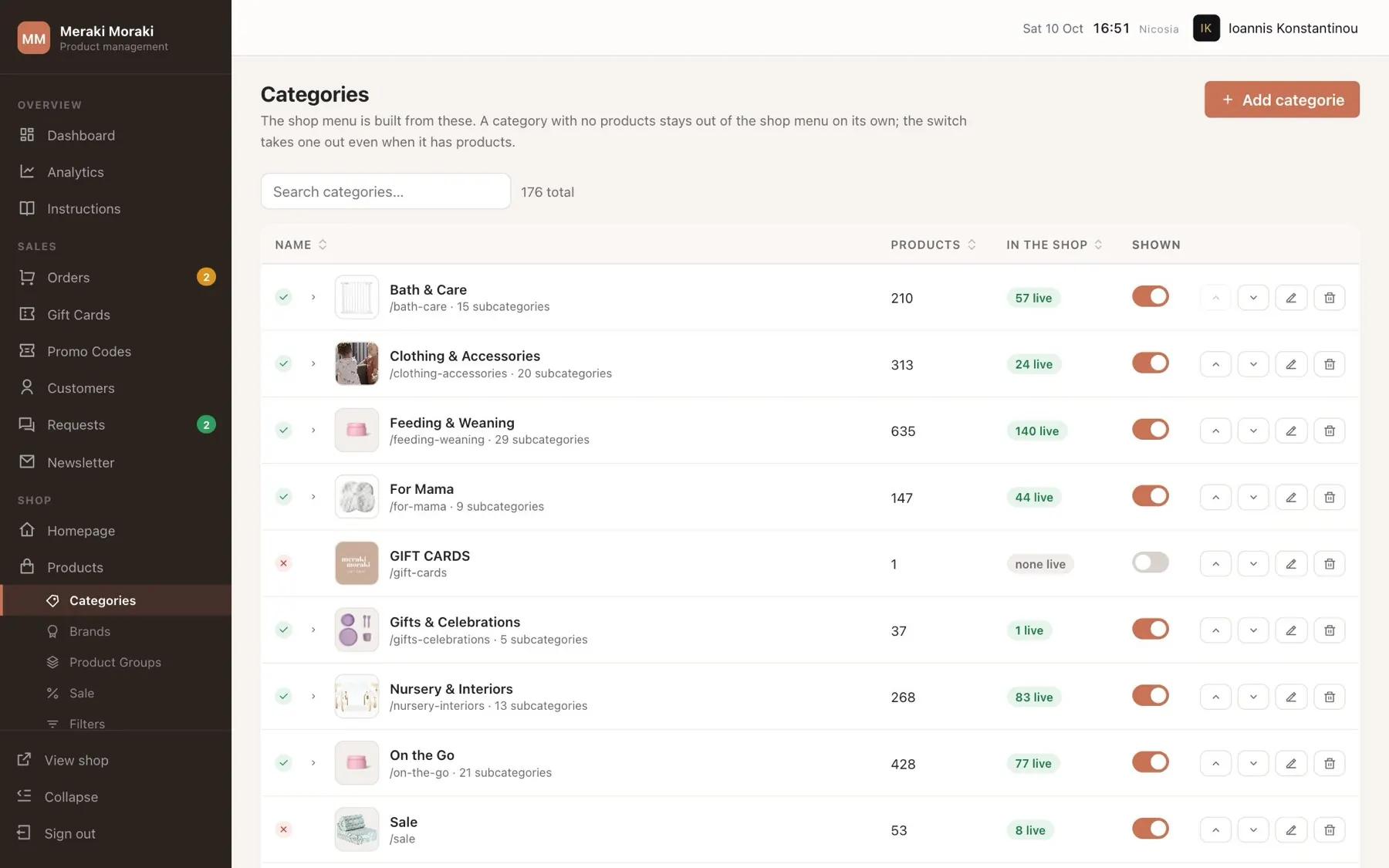
Categories: what shows in the shop menu, with live product counts 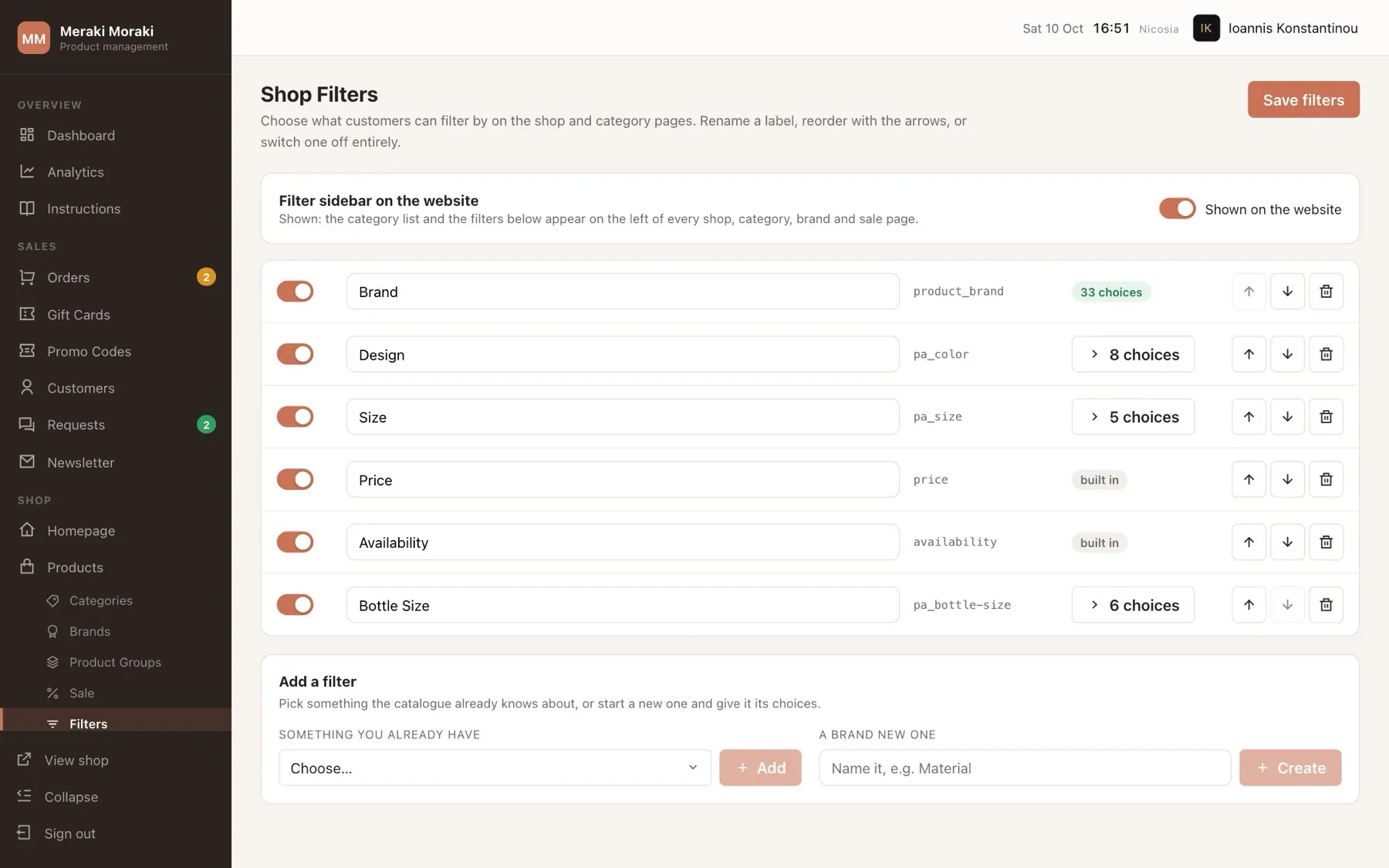
Shop filters edited in the CRM and shown on the website
06
Tech stack
Storefront
 Next.jsFast pages that load the catalogue from the CRM, with server rendering for SEO
 ReactProduct pages, mega menu, filters, cart and checkout
 Tailwind CSSThe shop design, built to match the brand
 StripeCard payments at checkout, built in and being switched on. Bank transfer and cash on delivery are live today
CRM
Next.jsThe admin app and the public API the shop reads from TypeScriptTyped code for the catalogue, sync and editor
 Styled ComponentsThe CRM interface
Integrations
 Powersoft APIStock and prices pulled every night (read-only for products), and shop orders sent to the ERP
Hosting
 DockerBoth apps run in containers on our own server, with the catalogue and 900+ MB of photos on shared storage
We moved 2,665 products off a WordPress plugin into a custom CRM built around how their team works. Stock and prices now come from their Powersoft ERP every night, and the online shop reads straight from the CRM.
08
FAQ
The shop had grown to more than 2,600 products and the WordPress plugins made everyday work slow. A CRM built around how the team works lets them edit products, prices and photos in one place, and the new storefront loads much faster.
No. We imported all 2,665 products, 177 categories, 113 brands and 15,853 product photos, and mapped the old URLs to redirects so existing Google rankings carry over when the new store launches.
The CRM reads stock and prices from the Powersoft ERP every night. Product data is read-only, so the website never changes products in Powersoft. Shop orders are sent to Powersoft so the team can process them there.
Yes. Products, categories, brands, filters, bundles, SEO and redirects are all edited in the CRM, and changes appear on the shop straight away.
WebP files are much smaller than JPG or PNG at the same quality, so product pages load faster, especially on phones.
We do. Both apps run in containers on our own server, so there are no monthly platform or plugin fees.
By bank transfer or cash on delivery, the two payment methods the shop offers today.